Beauty & Wellness Client Intake & Consent Forms
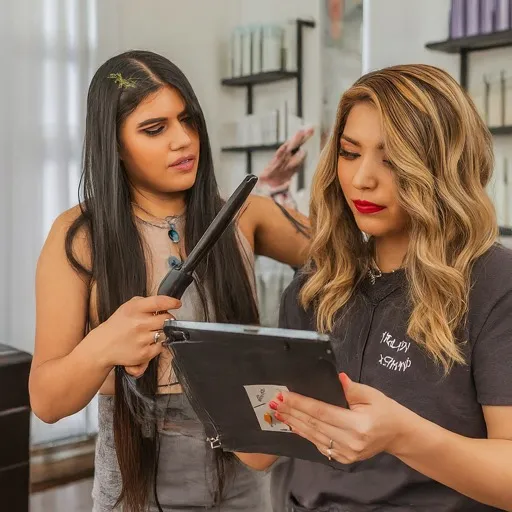
Scenario: Beauty Consultant uses FormConnect app for client consultations and treatment plans.
Meet Olivia, a beauty consultant at “Radiant Skin Studio”. Today, she’s welcoming a new client, Sarah, for a personalized skincare consultation. Here’s how the FormConnect app could assist Olivia:
- Accessing Client Information & Preferences: Before the appointment, Olivia opens the FormConnect app and retrieves Sarah’s profile, including pre-filled information like contact details, skin type concerns,and product preferences.
- Consultation & Data Capture: During the consultation,
Olivia uses the app to:
- Conduct a digital skin analysis: Depending on the app’s features,it might integrate with specialized devices to capture close-up images of the client’s skin for detailed analysis.
- Ask standardized questions: The app could guide the consultation with pre-defined questions about skincare routine, lifestyle habits, and product allergies.
- Capture client responses: Olivia can easily record client answers, concerns,and desired outcomes electronically within the app.
- Take notes and observations: Add personalized notes about the client’s skin condition, potential sensitivities, and areas of focus.
- Personalized Treatment Recommendations: Based on
the collected information, Olivia uses the app to:
- Access product recommendations: The app might offer a database of skincare products based on the client’s skin type, concerns, and preferences,helping Olivia suggest suitable options.
- Create customized treatment plans: The app could facilitate building personalized treatment plans with recommended products, usage instructions,and follow-up appointments.
- Provide visual aids: Depending on the app’s features, Olivia can incorporate images of recommended products or treatment techniques for better client understanding.
- Client Communication & Engagement: Throughout the
consultation, Olivia leverages the app to:
- Share product information: Electronically display product details, ingredients,and reviews within the app for client reference.
- Answer questions and address concerns: Capture any client questions or hesitations and provide clear explanations or alternative recommendations within the app.
- Obtain digital consent: Facilitate obtaining electronic consent for specific treatments or product purchases.
- Sending & Sharing Recommendations: After the consultation,
Olivia uses the app to:
- Finalize and send the treatment plan: With a tap, she can send the personalized treatment plan, including product recommendations and followup details, directly to the client’s email or app profile.
- Schedule follow-up appointments: Schedule future consultations or treatment sessions directly within the client’s profile.
Benefits for the Beauty and Wellness business:
Increased Efficiency:
Streamlined data capture, pre-filled forms, and digital recommendations save time and paperwork.
Personalized Consultations:
Data-driven analysis and product recommendations enhance the personalization of client consultations.
Improved Communication & Engagement:
Visual aids, clear explanations, and electronic communication foster better client understanding and trust.
Convenient Follow-up & Reminders:
Digital treatment plans and scheduled appointments improve client adherence and engagement.
Data-driven Insights:
Consolidated data from consultations can inform product selections, treatment protocols, and overall client satisfaction.
Client intake friction in salons and spas
- Paper intake and consent forms slow check-in and create filing clutter.
- Staff need a polished, repeatable process for every appointment type.
- Signed consents should leave with a clear digital copy for the client file.
Paper intake → digital client record
- Build intake templates
Design client intake, consent, and service record forms once for your studio.
- Collect before or during the visit
Clients or staff complete forms on iPad or iPhone at the chair or front desk.
- Retain exportable records
Export PDFs for client files or share records through your existing workflow.
FormConnect features for beauty and wellness
Signature capture
Collect consent and acknowledgement signatures on device.
Structured intake fields
Standardize what must be captured for every client visit.
Offline when Wi-Fi drops
Finish intake without stalling the appointment queue.
Recommended edition
Solo stylists and small studios often start with FormConnect Pro for offline iPad and iPhone capture. Growing teams may upgrade to Pro+ or ProMax for sync and collaboration. Learn about FormConnect Pro · View pricing
Related guides
Next steps for Beauty and Wellness
FormConnect helps beauty and wellness teams replace paper with offline-capable mobile forms. Explore the product that fits your workflow, compare plans, or talk with our team.
- Learn about FormConnect Pro
- See FormConnect pricing
- Compare Pro, Pro+ & ProMax features
- Compare FormConnect with alternatives
- Browse all industry solutions
- Request a live demo
- Read the FormConnect FAQ
- Visit the FormConnections blog
Beauty and Wellness FAQ
Can salons use FormConnect for client intake and consent?
Yes. Beauty and wellness businesses use FormConnect for digital client intake, consent forms, and appointment records on mobile devices.
Can clients sign consent forms on an iPad?
Yes. FormConnect supports signature capture so clients can sign consent and intake forms directly on iPad or iPhone.